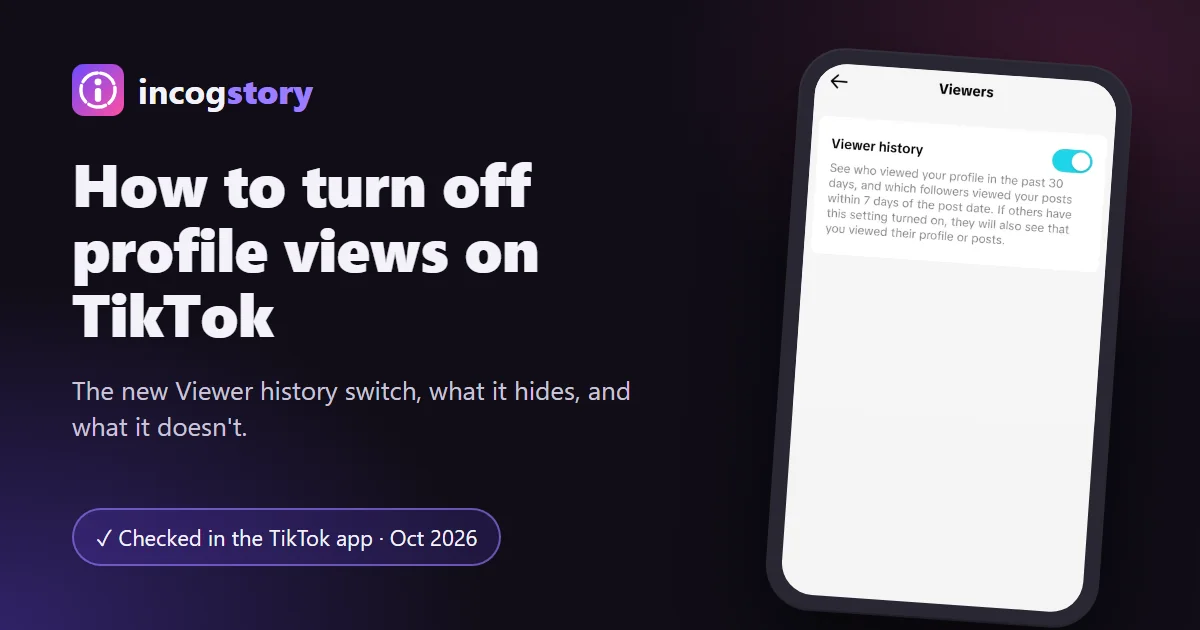
To turn off profile views on TikTok, go to Profile → Menu (☰) → Settings and privacy → Viewers and switch off Viewer history. Older app versions call it Profile view history, under Privacy. When it's off, nobody sees your profile visits and you can't see theirs. It's only available at 16+ with fewer than 5,000 followers.
TikTok has renamed this setting, and its own Help Center still shows the old path. Below are the current paths and the old one, what changes when you switch it off, and why some accounts can't find it. If you only want to look at a profile, you can also view TikTok profiles without your account, with no setting to change. More answers are in our TikTok and Snapchat guides.
How to turn off profile views on TikTok (2 ways)
In the current app, profile views are part of a setting called Viewer history. You can reach the same switch from Settings or from the footprints icon on your profile. We checked both paths in the TikTok app in October 2026.
From Settings and privacy
- Tap Profile. Open the TikTok app and tap Profile at the bottom of the screen.
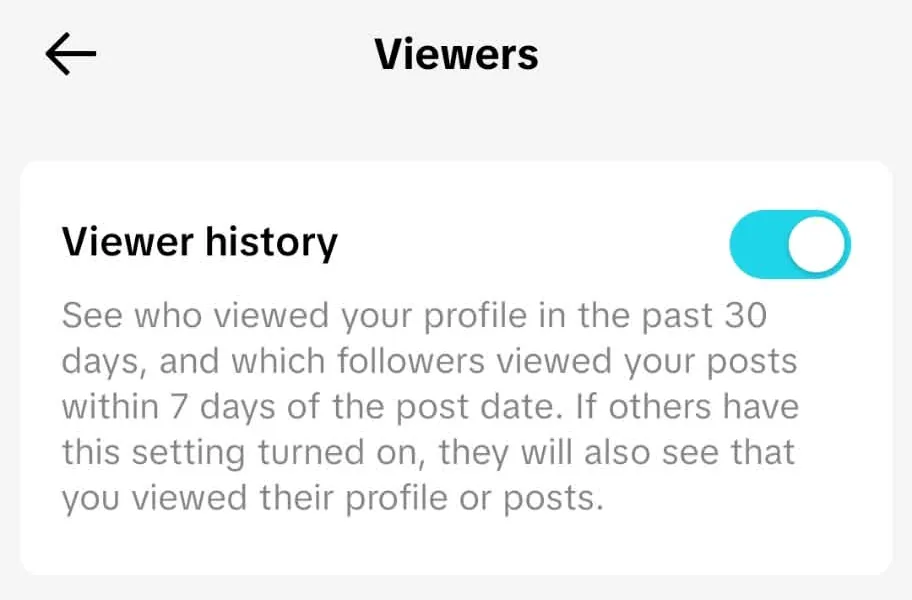
- Open Settings and privacy. Tap the Menu ☰ button at the top, then Settings and privacy.
- Tap Viewers. This section holds the settings that decide who sees your visits.
- Switch off Viewer history. One toggle. From now on, others won't see your visits and you won't see theirs.
From the footprints icon on your profile
- Tap Profile. Your own profile page opens.
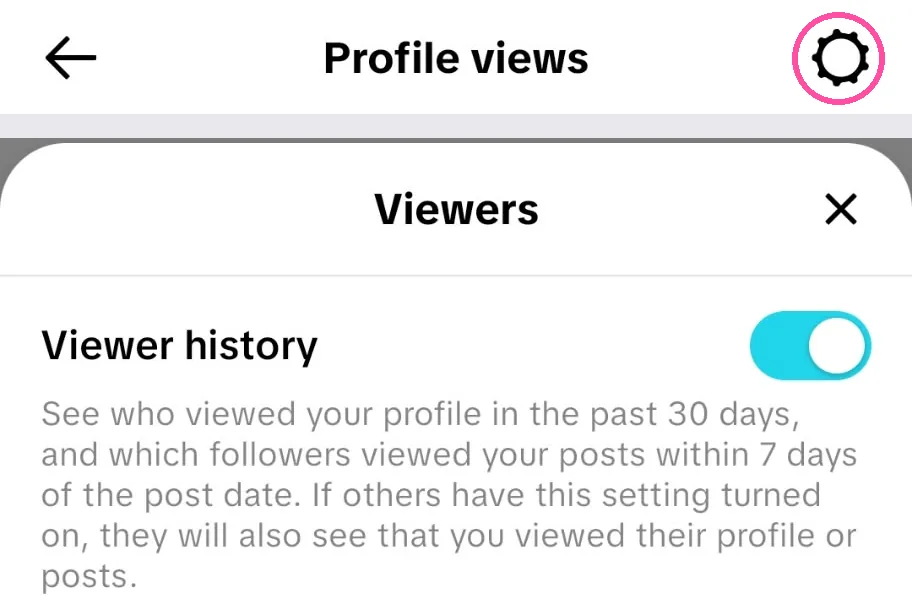
- Tap the footprints icon at the top. It sits next to the add-friend and ☰ buttons and opens your Profile views list.
- Tap the gear icon in the top-right corner. A Viewers panel slides up from the bottom.
- Switch off Viewer history. It's the same switch as in Settings, so either path works.
On older app versions
If you don't see a Viewers section, your app still uses the old layout. Go to Settings and privacy → Privacy → Profile views and switch off Profile view history. If neither option appears, update TikTok from the App Store or Google Play and look again.
How to turn profile views back on
The quickest way is the footprints icon at the top of your profile, next to the ☰ menu. While the setting is off, it opens a Turn on viewer history? screen: tap Turn on. The Settings path above works too.
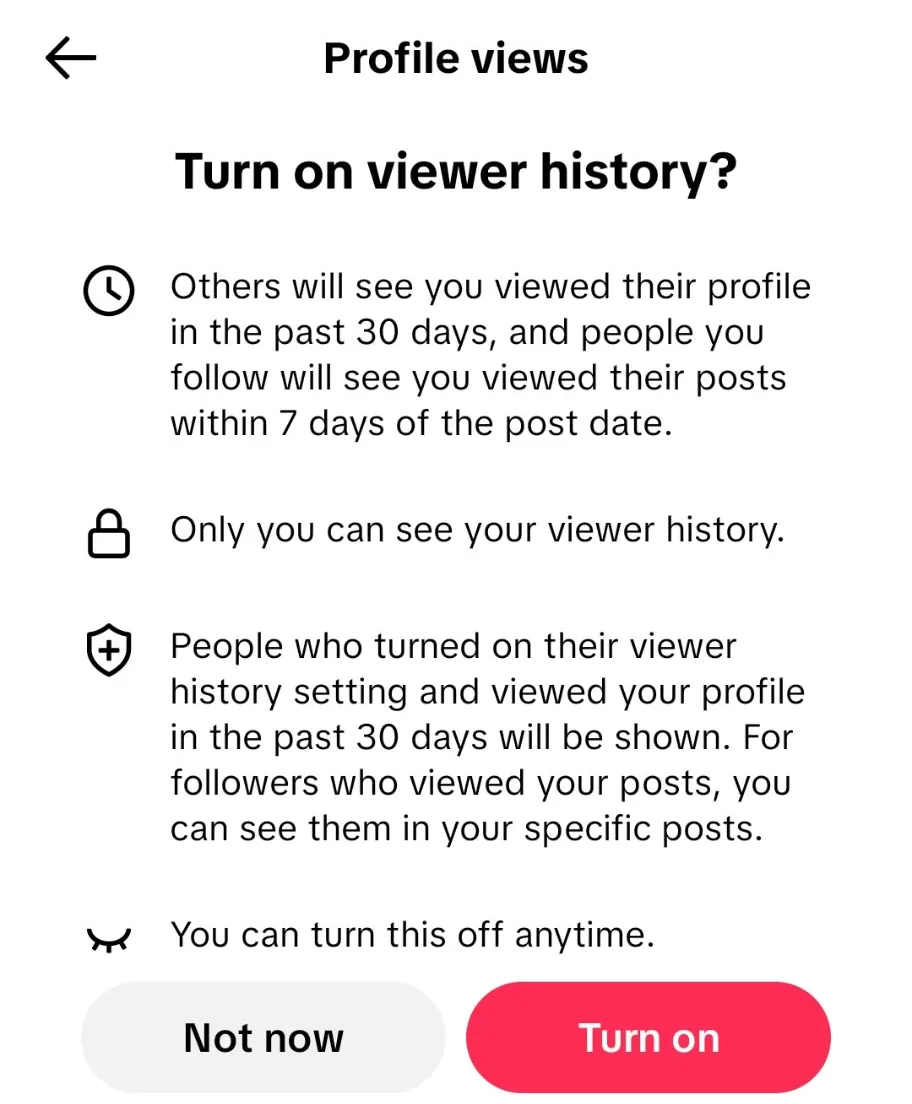
Once it's on, the same icon opens your list of accounts that viewed your profile in the past 30 days. Only accounts that also have the setting on appear, and only you can see your list. Followers who watched your posts are shown on each post instead. This is the only official way to see profile viewers on TikTok.
You'll also notice when someone new visits: the footprints icon turns into that person's profile picture with a small number next to it. Tap it to open the list. TikTok adds that some viewers may not appear "due to their account settings or other reasons", so the list is never complete.


Turning it on works both ways. While it's on, people who also have the setting on can see when you visit their profile or watch their posts. If you switch it on to check your viewers, remember that your own visits during that time are visible too.
Why can't I find Profile views on TikTok?
Most often because the name changed. TikTok merged the old Profile view history and Post view history settings into Viewer history, so searching the menu for "Profile views" finds nothing. If Viewer history is missing too, one of these is usually the reason:
- You have 5,000 followers or more. TikTok removes the feature once an account reaches 5,000 followers.
- You're under 16. The feature isn't available to younger users.
- Your app is out of date. Update TikTok, then check Settings and privacy again.
- You're on a computer. The setting lives in the mobile app, so use your phone.
What are TikTok profile views?
TikTok profile views are a list of accounts that opened your profile in the last 30 days. You open it with the footprints icon on your profile. The setting behind them is now called Viewer history. It also covers your posts: you see which followers watched a post within 7 days. Nothing is recorded unless both accounts have the setting on. If you have it on and a visitor has it off, that visit stays invisible to you. TikTok also limits who can use it: you must be 16 or older and have fewer than 5,000 followers. Larger accounts lose the setting completely, which is why most creators can't see who viewed their profile.
| Rule | What it means |
|---|---|
| Setting name | Viewer history (older apps: Profile view history) |
| Age | 16 or older |
| Followers | Fewer than 5,000 |
| Profile visits | Shown for the past 30 days |
| Post views | Followers who watched within 7 days of the post date |
| Who shows up | Only accounts that also have the setting on |
| Who sees your list | Only you |
| Where you see it | Footprints icon on your profile, or Inbox › Activity |
What changes when you turn Viewer history off?
| Setting on | Setting off | |
|---|---|---|
| You see who viewed your profile | Yes, past 30 days | No |
| You see which followers viewed your posts | Yes, first 7 days | No |
| Others see that you viewed their profile or posts | Yes, if they have it on too | No |
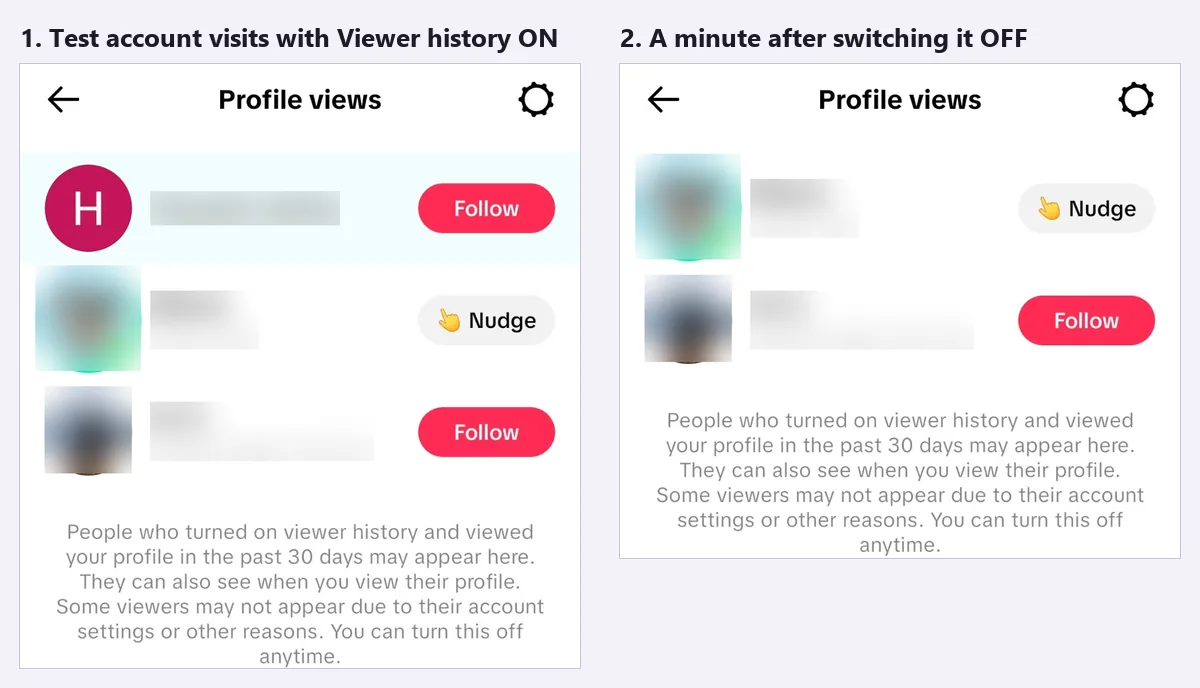
| Your past visits in other people's lists | Shown for 30 days | Removed (in our test) |
| Your story views are shown to the creator | Yes (separate list) | Yes (separate list) |
Turning Viewer history off doesn't make you invisible everywhere on TikTok. Likes, comments, follows and story views follow their own rules, so this switch only covers profile visits and post views.
Profile views, post views and story viewers
TikTok keeps three viewer lists, and people often mix them up. Two of them now share one switch. The third has no switch at all.
| List | Controlled by | Time window | Who appears |
|---|---|---|---|
| Profile visits | Viewer history | Past 30 days | Accounts that also have the setting on |
| Post views | Viewer history (same switch) | First 7 days after posting | Followers who also have the setting on, shown on each post |
| Story viewers | No setting | While the Story is live (24 hours) | Logged-in viewers, whatever their settings |
TikTok Stories work differently from the other two. If you watch someone's Story while logged in, your name can appear in their viewer list, whatever your Viewer history setting. See who sees that you watched a TikTok story. A TikTok story viewer that works without an account shows public Stories without adding a name.
Can you look at a profile without turning views off?
Yes, in two cases. If the other person has Viewer history off, your visit never shows, whatever your own setting is. And a visit that doesn't use your TikTok account can't be recorded at all, because the list only contains accounts. That's how our anonymous TikTok viewer works: it shows public profiles, videos and stories without logging in. It can't open private accounts. To see the method and its limits, read how anonymous viewers work.
For every other case, including videos, Stories and LIVE, see whether someone can see that you viewed their profile.
TikTok profile views FAQ
If I turn profile views back on, will people see profiles I visited while it was off?
TikTok's Help Center doesn't say. In our test on 2 October 2026, they didn't. A visit made with the setting off never appeared, even 30 minutes after switching it on. Only the visit made with the setting on showed up.
If I turn Viewer history off, do my past visits disappear from other people's lists?
In our test, yes. Our test account appeared in the other account's Profile views list, and it was gone about a minute after we switched the setting off.
Does turning off Viewer history also hide my post views?
Yes. Viewer history covers both profile visits and post views, so one switch hides both. Story views are not part of it.
Does TikTok notify someone when I view their profile?
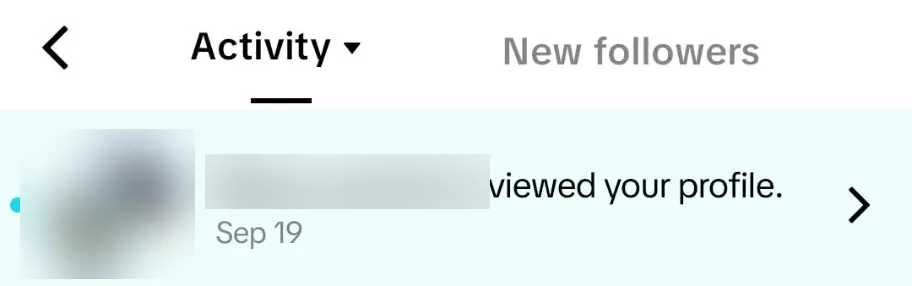
Only when both of you have the setting on. Then your visit appears in their list of profile viewers, and TikTok may show a notification in their Inbox under Activity. If either of you has it off, nothing is recorded.
Why did my profile view history disappear?
Usually because your account reached 5,000 followers, which removes the feature, or because your app now calls it Viewer history. The list also only keeps visits from the past 30 days.
Does turning off profile views hide that I watched someone's story?
No. Story viewers are a separate list, and Viewer history doesn't control it.