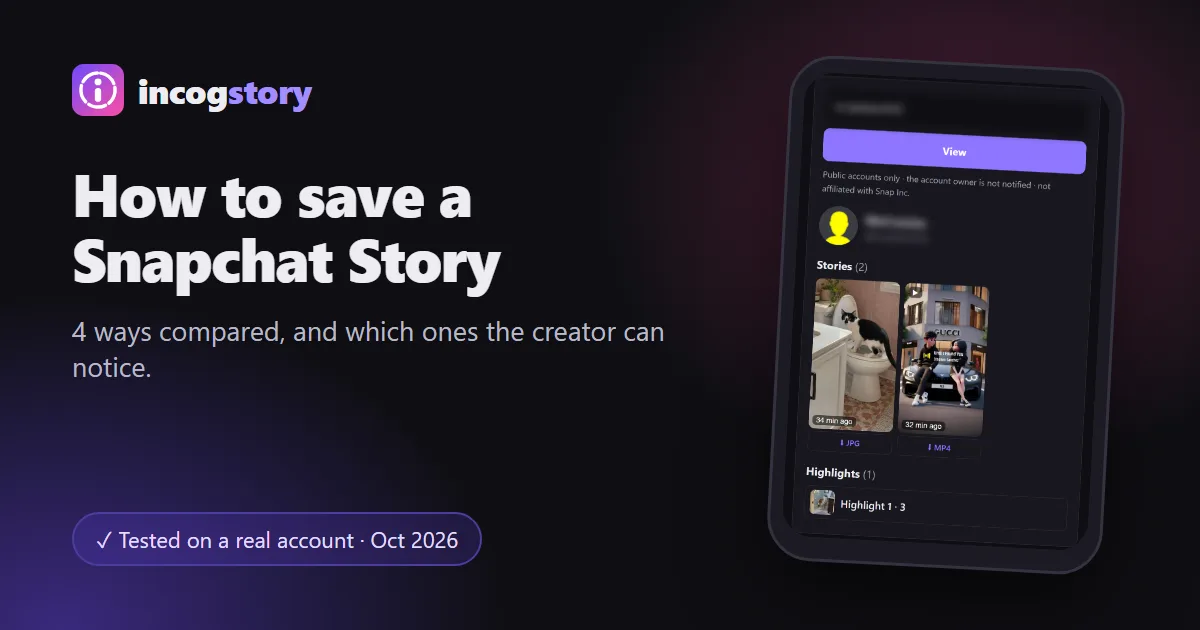
There are four ways to save a Snapchat story: Save in Chat (a friend's no-limit photo or looping video), a screen recording, saving your own Story to Memories, or downloading a public Story in a browser. Saved Snaps show in your chat, and screenshots and screen recordings are marked in the viewer list. A public download uses no account.
The best way to save a Snapchat story depends on whose Story it is and who it was shared with. For a public Story on a Public Profile, a Snapchat story downloader is the quickest way to get the original file. For a friend's Story, you have to use the app. This guide compares all four methods so you can pick the right one.
4 ways to save someone else's Snapchat Story
| Method | Friends-only Stories | Public Stories | Can the creator tell? | Quality |
|---|---|---|---|---|
| Save in Chat | Yes, if the Snap has no time limit or loops | No | Yes, it appears in your chat with them | Original |
| Screen recording | Yes | Yes | Yes, marked like a screenshot | Lower, includes the app screen |
| Download a public Story | No | Yes | No account involved | Original file (MP4 or JPG) |
| Save to Memories | Only your own Stories | Only your own Stories | Not applicable | Original |
Save a friend's Snap with Save in Chat
Save in Chat is Snapchat's built-in way to keep a friend's Story Snap. It doesn't work on everything: only photo Snaps set to no time limit and video Snaps set to loop can be saved. You can recognise them by the infinity symbol (∞) on the timer.
- Open your friend's Story. Play it until you reach the Snap you want.
- Press and hold the Snap. Or swipe up on it.
- Tap Save in Chat. The Snap is added to your 1:1 chat with that friend as Chat Media.
This method is not discreet. The saved Snap sits in the chat you share, so your friend can see it there, and either of you can delete it again.
Screen record a Story on iPhone or Android
Screen recording works for any Story you can watch, including friends-only ones. On iPhone, add Screen Recording to Control Center, start it, then play the Story. On most Android phones, swipe down twice from the top of the screen and tap Screen record. The result is a video of your screen, so it has lower quality than the original file and may include parts of the Snapchat interface.
Keep in mind that Snapchat marks screenshots in the Story's viewer list, and the owner sees that mark next to your name. We tested it on 1 October 2026: a screen recording of our public test Story showed up with the same screenshot icon next to the viewer's name. So yes, the owner can tell. If you want to know what the owner sees, our guide on who viewed my Snapchat story explains the viewer list.
Download a public Snapchat Story
If the Story is on a Public Profile, you don't need the app at all. A web downloader opens the public profile without a Snapchat account and gives you the original file, with no watermark added.
- Copy the username or profile link. The link looks like snapchat.com/add/username.
- Paste it into the downloader. Open our Snapchat story viewer and downloader and press View.
- Tap Download on the Snap you want. Videos save as MP4, photos as JPG.
| Device | Where the file goes |
|---|---|
| iPhone and iPad | Files app › Downloads. Open it and tap Share › Save Video to add it to Photos. |
| Android | The Downloads folder, usually shown in your gallery app. |
| Windows PC and Mac | Your browser's Downloads folder. |
This only works for public Stories, highlights and Spotlight videos. Friends-only Stories and private accounts can't be downloaded this way, by us or by any other site. Because no account is used, your name doesn't appear in the creator's viewer list. Our guide on how anonymous story viewers work explains why.
Save your own Snapchat Story
Your own Story is easier. Open your profile, press and hold My Story and tap Save Story, or swipe up on a single Snap and tap the download icon. The Snaps go to Memories, Snapchat's built-in archive.
To also get a copy in your phone's gallery, open Settings, go to Memories and change where the Save button saves: Memories, Memories and Camera Roll, or Camera Roll only. For a Private or Shared Story you are part of, open your profile, tap the Story's name, open a Snap and tap the download icon at the bottom.
Is it OK to save someone else's Story?
Keeping a public Story for yourself is common, but the content still belongs to the person who made it. Don't repost it as your own, don't use it to embarrass anyone, and ask before sharing it further. Avoid modified Snapchat apps that promise hidden saving: they break Snapchat's rules and can get your account locked. If you are a creator and want your public account removed from our tool, contact us.
Saving Snapchat Stories FAQ
Can you save someone else's Snapchat Story without them knowing?
For a public Story, yes: a web downloader uses no Snapchat account, so your name isn't on the viewer list. Save in Chat is visible in your chat, and screenshots and screen recordings are marked in the viewer list.
Why can't I use Save in Chat on a Story?
Only photo Snaps with no time limit and looping videos can be saved in Chat. If the timer doesn't show the infinity symbol, the option isn't available.
Where do saved Snapchat Stories go?
Save in Chat keeps them in your chat. Save Story sends your own Snaps to Memories. Web downloads go to your device's Downloads folder.
Can I save a Snapchat Story after it expired?
Not the Story itself: it disappears after 24 hours. If the creator added it to a highlight on their Public Profile, you can still view and download it there.
Can I save Spotlight videos?
Yes, if they are public. Our downloader shows a creator's public Spotlight videos next to their Stories and highlights.
Can I save a TikTok Story the same way?
Yes, if it's public. Our TikTok story downloader saves public TikTok Stories by username, videos as MP4 and photos in their original format, without a TikTok account.